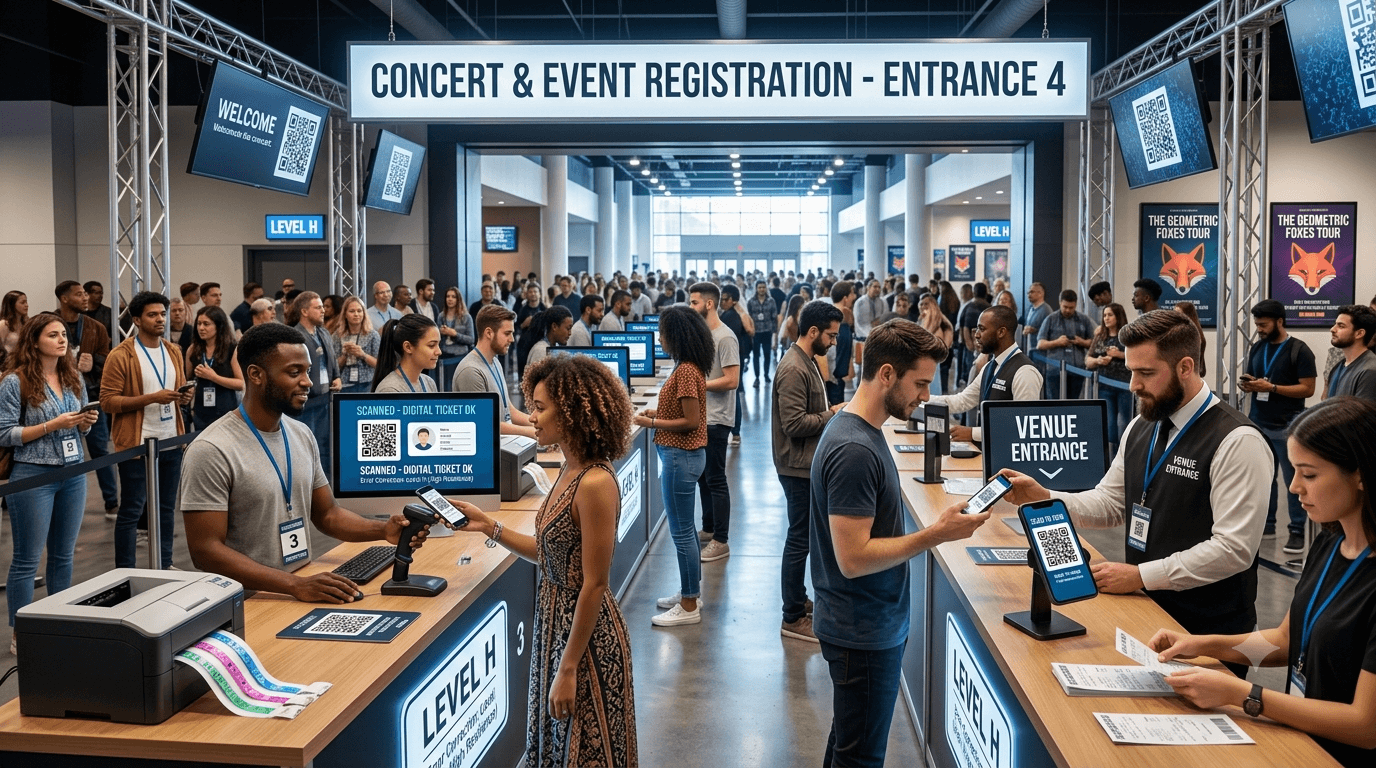
Discover how event organizers leverage dynamic QR code ticketing, automated gate scanning, and VIP access passes to eliminate long lines and streamline venue entry.
Event check-in is one of the first experiences attendees have when arriving at a conference, concert, workshop, exhibition, or private event. Long registration lines, manual ticket checks, and slow entry processes can create frustration before an event even begins.
QR codes have become a practical solution for improving event registration and ticket management. With a simple scan, organizers can verify tickets, confirm registrations, collect attendance data, and help guests enter venues faster.
For small gatherings and large-scale events alike, QR code ticketing creates a smoother experience for both attendees and event staff. It reduces manual work while providing valuable information that can improve future events.
This guide explains how event organizers can use QR codes for fast check-ins and ticketing, the benefits they provide, how to implement them, and the best practices for creating a reliable event entry system.
Table of Contents
- What Are QR Code Event Tickets?
- How QR Code Check-In Systems Work
- Benefits of Using QR Codes for Events
- How to Create a QR Code Ticketing System
- Using QR Codes for Different Event Types
- How QR Codes Improve Attendee Experience
- Common Mistakes Event Organizers Should Avoid
- Best Practices for QR Code Event Check-ins
- How to Track Event Attendance with QR Codes
- Frequently Asked Questions
What Are QR Code Event Tickets?
A QR code event ticket is a digital ticket that contains information used to identify and verify an attendee. Instead of printing traditional paper tickets, organizers can send guests a QR code through email, mobile apps, or online registration platforms.
When attendees arrive, staff members scan the QR code using a smartphone, tablet, or dedicated scanner. The system then checks whether the ticket is valid and confirms entry.
A QR code ticket may contain information such as:
- Ticket ID
- Registration details
- Attendee name
- Event information
- Seat number or access level
- Registration status
The goal is simple: replace slow manual verification with a faster digital process.
How QR Code Check-In Systems Work
QR code check-in systems usually follow a straightforward process.
- Attendee registers for the event.
The guest purchases a ticket or completes an online registration form.
- A unique QR code is generated.
The attendee receives a digital ticket containing their personal QR code.
- The attendee arrives at the venue.
The guest displays the QR code on their phone or presents a printed ticket.
- Staff scans the QR code.
The system verifies the ticket information.
- Entry is confirmed.
The attendee is marked as checked in and allowed access.
This process can reduce waiting times and help event teams manage large crowds more efficiently.
Benefits of Using QR Codes for Events
Faster Attendee Check-In
One of the biggest advantages of QR code ticketing is speed. Instead of searching through registration lists or checking printed tickets manually, staff can scan and verify attendees within seconds.
This is especially valuable during busy arrival periods when many guests enter at the same time.
Reduced Paper Usage
Digital QR tickets reduce the need for printed tickets, helping organizers lower printing costs and simplify ticket distribution.
Attendees can keep their tickets on their smartphones, making the process more convenient.
Better Attendance Tracking
QR code systems can record when attendees arrive, providing organizers with accurate attendance information.
This data can help answer questions such as:
- How many registered guests attended?
- What time did most attendees arrive?
- Which sessions had the highest participation?
- How many tickets remained unused?
Improved Security
QR code tickets can help reduce unauthorized entry when each ticket has a unique identifier.
Organizers can prevent problems such as duplicate ticket use by marking tickets as already scanned.
Better Guest Experience
A smooth entry process creates a positive first impression. Attendees spend less time waiting and more time enjoying the event.
How to Create a QR Code Ticketing System
Setting up QR code ticketing requires planning, but the process can be simple with the right tools.
-
Choose an event registration system.
Select a platform that can collect attendee information and generate digital tickets.
-
Create ticket types.
Define different access levels, such as general admission, VIP passes, or workshop sessions.
-
Generate unique QR codes.
Create a separate QR code for each ticket or registration record.
-
Send tickets digitally.
Deliver QR codes through email, mobile apps, or confirmation pages.
-
Prepare scanning equipment.
Train staff and test the scanning process before the event begins.
-
Monitor check-ins.
Review attendance data during and after the event.
Using QR Codes for Different Event Types
Conferences and Business Events
Professional events often involve hundreds or thousands of attendees. QR codes help manage registration desks, reduce queues, and improve attendee flow.
Organizers can also use QR codes for:
- Session access
- Networking profiles
- Digital event schedules
- Speaker information
Concerts and Entertainment Events
Large entertainment events benefit from fast ticket scanning. QR codes allow staff to process attendees quickly while reducing manual ticket checks.
Workshops and Training Sessions
Small educational events can use QR codes to confirm registrations, track attendance, and share learning materials.
Trade Shows and Exhibitions
Exhibitors can use QR codes to collect visitor information, share product details, and connect with potential customers.
How QR Codes Improve Attendee Experience
Successful events focus on reducing unnecessary friction. QR codes improve several parts of the attendee journey.
Simple Registration
Guests can register online and receive their ticket instantly instead of waiting for physical delivery.
Quick Venue Entry
Scanning a QR code takes only seconds, allowing visitors to move through entry points faster.
Easy Information Access
Organizers can use QR codes to provide:
- Event schedules
- Venue maps
- Speaker details
- Feedback forms
- Digital brochures
Less Confusion
Clear digital tickets reduce problems caused by lost paper tickets or unclear registration details.
Common Mistakes Event Organizers Should Avoid
Not Testing QR Codes Before the Event
A QR code system should always be tested before guests arrive. Problems with scanning, internet access, or ticket verification can create delays.
Using Poor Quality QR Codes
Low-resolution or damaged QR codes may fail during scanning. Always use high-quality codes and test printed versions.
Ignoring Internet Connectivity
Some QR verification systems require internet access. Organizers should prepare backup solutions for locations with unreliable connectivity.
Not Training Staff
Event teams should understand how scanning works, how to handle problems, and what steps to take when a ticket cannot be verified.
Creating Complicated Entry Processes
The purpose of QR code ticketing is to simplify entry. Avoid adding unnecessary steps that slow down attendees.
Best Practices for QR Code Event Check-ins
- Send tickets well before the event date.
- Include clear instructions on how to use the QR code.
- Test scanning with multiple devices.
- Have backup verification methods available.
- Use clear signage at entry points.
- Train staff before event day.
- Keep attendee data secure.
- Monitor check-in performance during the event.
Helpful QR Code Locations at Events
- Registration confirmation emails
- Event tickets
- Venue entrance signs
- Exhibitor booths
- Event programs
- Name badges
If you need QR codes for event tickets, registration pages, digital schedules, or attendee experiences, you can use our free QR Code Generator.
How to Track Event Attendance with QR Codes
QR code check-ins provide valuable attendance information that organizers can use after the event.
Useful data points include:
- Total attendees checked in
- Arrival times
- Attendance by ticket type
- Session participation
- No-show rates
This information helps organizers improve future events by understanding attendee behavior and identifying areas for improvement.
Summary
QR codes have changed the way event organizers manage ticketing and attendee check-ins. They provide a faster, more convenient, and more organized way to verify guests while creating a better arrival experience.
From conferences and concerts to workshops and exhibitions, QR code systems help reduce queues, improve security, and provide useful attendance data.
The key to successful QR code event management is proper preparation. Test your system, train your team, provide clear instructions, and make the check-in process as simple as possible for attendees.
Frequently Asked Questions
1. How do QR codes work for event tickets?
QR code tickets contain digital information linked to an attendee registration. Staff scan the code at the venue to verify the ticket and confirm entry.
2. Are QR code tickets secure?
Yes, QR code tickets can be secure when combined with unique ticket IDs, verification systems, and proper access controls.
3. Can QR codes be used for free events?
Yes. QR codes are useful for both paid and free events because they simplify registration and attendance tracking.
4. Do attendees need a special app to scan event tickets?
Many modern smartphones can display and scan QR codes using built-in camera features, although some event systems may use dedicated scanning apps for organizers.
5. What happens if an attendee loses their QR code ticket?
Organizers can usually resend digital tickets or verify attendees using registration information.
6. Can QR codes track event attendance?
Yes. QR code check-in systems can record attendance details such as check-in times and attendee numbers.
7. Should event organizers use printed or digital QR tickets?
Both options can work. Digital tickets are convenient, while printed QR tickets provide a backup option for attendees who prefer physical copies.