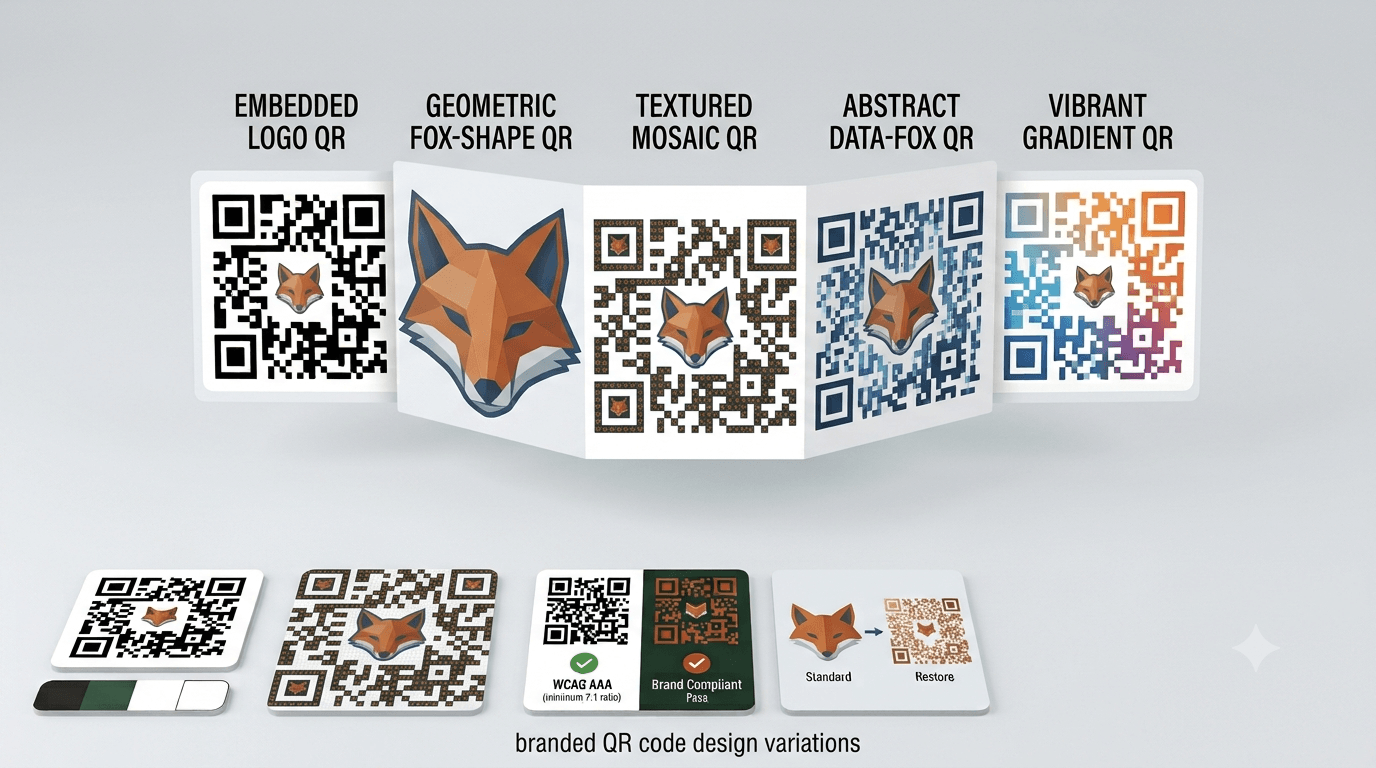
Learn how to safely brand QR codes with custom colors, embedded logos, and custom module shapes without breaking scannability or optical camera readability.
QR codes are no longer limited to simple black-and-white squares. Businesses now use branded QR codes with company logos, custom colors, and creative designs to make them match their visual identity and marketing materials.
A branded QR code can help a business look more professional and recognizable. It can be placed on product packaging, business cards, posters, restaurant menus, advertisements, and digital campaigns while maintaining a consistent brand experience.
However, QR codes are not just decorative graphics. They must remain readable by smartphone cameras. A design that looks attractive but fails to scan creates a poor customer experience.
This guide explains how to safely customize QR codes with logos and colors, what design elements can affect scanning, common mistakes to avoid, and best practices for creating branded QR codes that work reliably.
Table of Contents
- What Is a Branded QR Code?
- Why Businesses Customize QR Codes
- How QR Code Customization Works
- Adding Logos to QR Codes Safely
- Using Custom Colors Without Breaking Scanning
- Choosing the Right Error Correction Level
- Common QR Code Branding Mistakes
- How to Test a Branded QR Code
- Best Practices for Professional QR Code Design
- Frequently Asked Questions
What Is a Branded QR Code?
A branded QR code is a customized version of a standard QR code that includes visual design elements such as logos, brand colors, shapes, or styling changes.
The purpose of branding is to make the QR code feel like part of the company’s identity instead of appearing as a generic digital tool.
A branded QR code may include:
- A company logo placed in the center.
- Brand colors instead of traditional black and white.
- Rounded QR code patterns.
- Custom frames and call-to-action text.
- Design elements that match marketing materials.
While customization improves appearance, the QR code still needs to preserve the technical structure required for scanning.
Why Businesses Customize QR Codes
Improves Brand Recognition
A customized QR code can reinforce brand identity. When customers see familiar colors and logos, they may feel more confident interacting with the code.
For example, a restaurant may use its brand colors on a QR code placed on tables, while a retail company may add its logo to product packaging codes.
Creates a More Professional Appearance
Standard QR codes are functional, but branded versions can look more polished when included in professional marketing materials.
A well-designed QR code can blend naturally with:
- Business cards
- Product labels
- Brochures
- Posters
- Digital advertisements
Encourages More Scans
A QR code that clearly belongs to a trusted brand may attract more attention than an unfamiliar code without context.
However, design alone does not guarantee more scans. The code must also provide a useful reason for customers to interact with it.
How QR Code Customization Works
QR codes contain patterns that scanners use to identify and decode information. These patterns include important areas that should not be changed too aggressively.
Key QR code elements include:
- Finder patterns: The large squares located in three corners that help scanners recognize the QR code.
- Data modules: The small squares that store information.
- Quiet zone: The empty space around the QR code that helps cameras separate it from the background.
- Error correction data: Extra information that allows the QR code to work even if partially damaged.
Safe customization focuses on improving appearance while protecting these important scanning features.
Adding Logos to QR Codes Safely
Adding a logo is one of the most popular ways to brand a QR code. However, placing a logo incorrectly can block important information and prevent scanning.
Keep Logos Small
A logo should usually occupy only a limited portion of the QR code. Large logos covering too much of the pattern can make the code unreadable.
A smaller logo placed in the center is often safer because QR codes can recover some missing information through error correction.
Use Higher Error Correction Levels
QR codes include different error correction levels that determine how much damage they can tolerate.
For branded QR codes with logos, higher levels such as Q or H are commonly used because they provide additional recovery capability.
However, higher error correction also creates a larger QR code because more recovery information is included.
Avoid Covering Important Areas
The corner finder patterns are especially important because scanners use them to identify the code.
Avoid placing logos or decorative elements over these areas.
Using Custom Colors Without Breaking Scanning
Color customization can make a QR code match your brand, but color choices must be handled carefully.
Maintain Strong Contrast
The scanner needs a clear difference between the QR code pattern and the background.
Good combinations include:
- Dark blue QR code on a white background.
- Black QR code on a light-colored background.
- Dark green QR code on a cream background.
Poor combinations include:
- Light gray code on white.
- Yellow code on orange.
- Similar shades that blend together.
Avoid Complex Backgrounds
Placing a QR code over a photo, texture, or busy graphic can make it harder for cameras to identify the pattern.
If a QR code is placed on an image, add a clear background area behind it.
Keep the QR Code Darker Than the Background
While QR codes can use colors other than black, the scanning pattern should generally remain darker than the surrounding area.
Choosing the Right Error Correction Level
Error correction determines how much damage a QR code can handle while still working.
- Level L: Suitable for clean digital environments with minimal risk of damage.
- Level M: A common choice for everyday marketing materials.
- Level Q: Useful for printed materials that may experience wear.
- Level H: Best for heavy customization, logos, or challenging environments.
For branded QR codes, many designers choose Q or H because customization may remove small parts of the original pattern.
Common QR Code Branding Mistakes
Making the Logo Too Large
A large logo may look impressive but can interfere with scanning. The goal is to enhance the design without blocking essential QR code information.
Using Low Contrast Colors
A beautiful color combination is not useful if customers cannot scan the code.
Always test the QR code on actual devices before publishing.
Removing the Quiet Zone
The empty space around a QR code is important. Placing text or graphics too close to the edges can reduce scanning reliability.
Stretching the QR Code
Changing the proportions of a QR code can distort the pattern and make it unreadable.
Always resize QR codes proportionally.
Not Testing Printed Versions
A QR code that works on a computer screen may fail after printing because of changes in size, resolution, or color.
How to Test a Branded QR Code
Testing is essential before using a customized QR code in a real campaign.
- Scan using multiple smartphones.
Different devices may have different camera capabilities.
- Test under different lighting conditions.
Make sure the code works indoors, outdoors, and in normal customer environments.
- Check printed samples.
Always test the final printed version, not only the digital design.
- Test from different distances.
Large posters and signs require scanning from farther away.
- Confirm the destination works.
Make sure the QR code leads to the correct website, page, or digital experience.
Best Practices for Professional QR Code Design
- Keep branding simple and functional.
- Use high-quality QR code files.
- Maintain strong color contrast.
- Leave enough empty space around the code.
- Use higher error correction for logos and heavy customization.
- Test before mass printing.
- Add a clear reason for users to scan.
- Make sure the destination provides value.
Examples of Effective QR Code Calls-to-Action
- Scan to View Our Menu
- Scan to Get Your Discount
- Scan to Visit Our Website
- Scan to Save Contact Details
- Scan to Learn More
The best QR code designs combine attractive branding with a clear user benefit.
Summary
Branding a QR code with logos and custom colors can improve its appearance and help it fit naturally into marketing materials. However, customization should never compromise functionality.
The safest approach is to maintain strong contrast, use appropriate error correction, avoid covering important QR patterns, and test the final design on real devices.
A successful branded QR code is not just visually appealing—it is easy to scan, trustworthy, and useful for the people interacting with it.
Frequently Asked Questions
1. Can I add my logo to a QR code?
Yes. Logos can be added to QR codes, but they should be kept small and placed carefully to avoid blocking important scanning patterns.
2. Do custom QR codes scan reliably?
Yes, when designed correctly. Proper contrast, suitable error correction, and testing are important for reliable scanning.
3. What colors work best for branded QR codes?
Colors with strong contrast work best. Dark QR patterns on lighter backgrounds are generally easier for smartphones to recognize.
4. Should I use error correction level H for every branded QR code?
Not always. Higher error correction is useful for logos and complex designs, but simpler QR codes may work well with lower levels.
5. Can I put a QR code on a colored background?
Yes, as long as the QR code remains clearly visible and there is enough contrast between the code and background.
6. Why does my customized QR code not scan?
Common causes include poor contrast, oversized logos, distorted designs, low-quality images, or insufficient testing.
7. How can I create a branded QR code?
You can use a QR code generator that supports customization features such as colors, logos, and design options. Always test the final version before using it publicly.