Discover how Reed-Solomon Error Correction Levels (L, M, Q, H) protect QR codes from dirt, scratches, and damage while enabling custom logo customization.
QR codes are designed to remain readable even when they are partially damaged, dirty, or printed in less-than-perfect conditions. This reliability is possible because QR codes include built-in error correction technology that allows scanners to recover missing or damaged information.
When creating a QR code, users can often choose between four error correction levels: L, M, Q, and H. Each level provides a different balance between data capacity and durability.
Choosing the right error correction level is important because it affects how much damage a QR code can withstand, how much information it can store, and how it performs in real-world situations.
This guide explains QR code error correction levels, what L, M, Q, and H mean, when to use each option, and how to choose the best setting for your project.
Table of Contents
- What Is QR Code Error Correction?
- How QR Code Error Correction Works
- Understanding QR Code Error Correction Levels
- Level L: Low Error Correction
- Level M: Medium Error Correction
- Level Q: Quartile Error Correction
- Level H: High Error Correction
- Comparison of QR Code Error Correction Levels
- How to Choose the Right Error Correction Level
- Common Mistakes When Choosing Error Correction
- Best Practices for Reliable QR Codes
- Frequently Asked Questions
What Is QR Code Error Correction?
QR code error correction is a built-in feature that allows a QR code to remain readable even when part of the code is damaged or hidden.
Unlike a simple barcode, a QR code does not store information only once. It includes additional recovery data that helps scanners reconstruct missing information.
This technology is especially useful in real-world situations where QR codes may experience:
- Scratches on printed labels
- Dust or dirt on surfaces
- Weather exposure
- Low-quality printing
- Partial obstruction from logos or designs
- Damage during shipping or handling
For example, a QR code printed on product packaging may become slightly damaged during transportation. With the correct error correction level, customers may still be able to scan it successfully.
How QR Code Error Correction Works
QR codes use a mathematical system called Reed-Solomon error correction to create additional recovery information. This extra data allows QR scanners to restore missing parts of the code.
The higher the error correction level, the more damage the QR code can tolerate. However, higher protection also requires more space for recovery information, which means the QR code can store less original data.
There is a trade-off:
- Lower error correction: More data capacity but less damage resistance.
- Higher error correction: Better durability but less available space for data.
Understanding this balance helps you create QR codes that are reliable without unnecessarily increasing their size.
Understanding QR Code Error Correction Levels
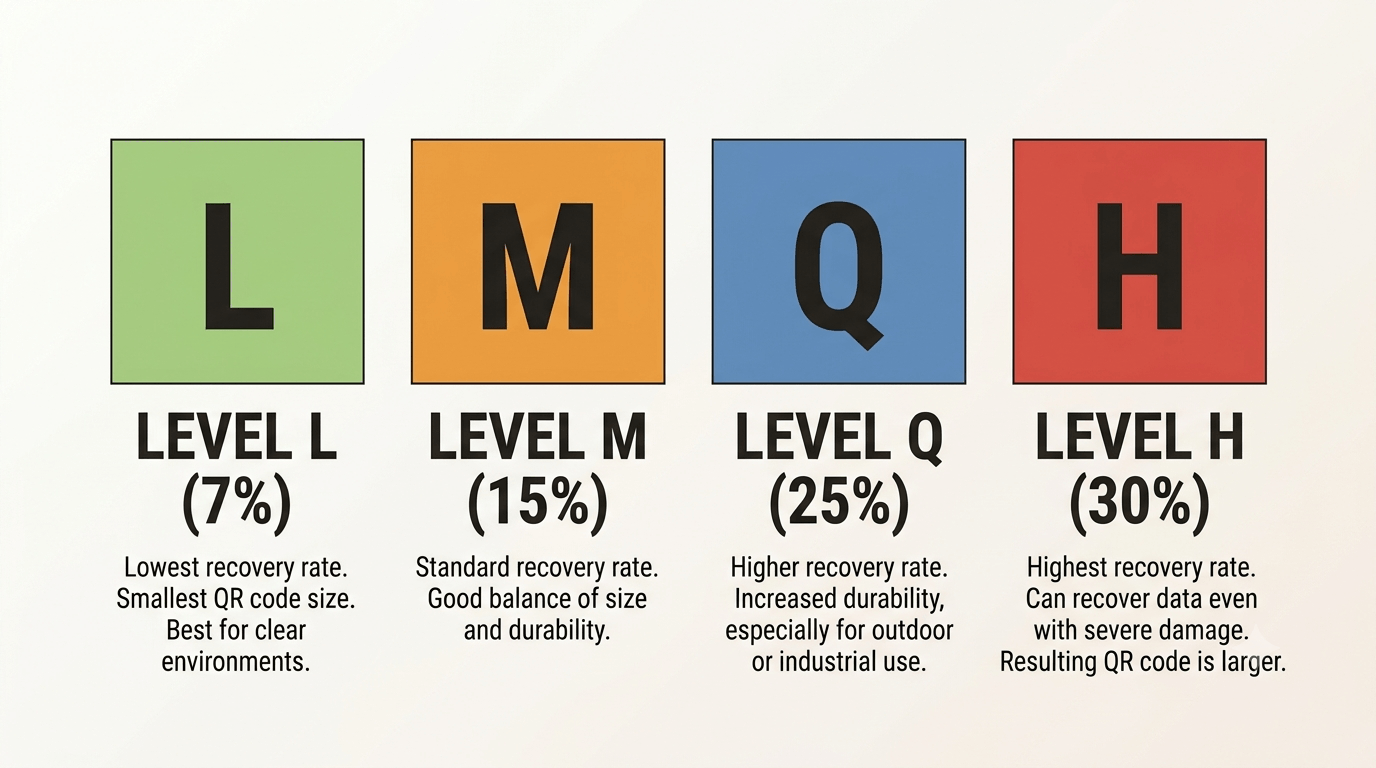
QR codes have four standard error correction levels:
- L (Low): Recovers approximately 7% of damaged data.
- M (Medium): Recovers approximately 15% of damaged data.
- Q (Quartile): Recovers approximately 25% of damaged data.
- H (High): Recovers approximately 30% of damaged data.
The percentages represent the approximate amount of damage the QR code can tolerate while remaining readable.
Level L: Low Error Correction
Level L provides the lowest amount of protection. It allows the QR code to recover approximately 7% of damaged information.
Because it uses less recovery data, Level L provides the highest data capacity among the four options.
Advantages of Level L
- Allows more information to be stored.
- Creates a smaller QR code for the same amount of data.
- Works well in controlled environments.
Best Uses for Level L
Level L is suitable when the QR code will be displayed digitally or protected from damage.
Examples include:
- Website QR codes displayed online
- Digital presentations
- Internal business documents
- Temporary digital campaigns
Limitations
Level L is not ideal for outdoor signs, product packaging, or materials that experience frequent handling because even minor damage may affect scanning.
Level M: Medium Error Correction
Level M is the most commonly used error correction level. It provides approximately 15% damage recovery while maintaining a good balance between reliability and data capacity.
Advantages of Level M
- Good balance between protection and size.
- Suitable for many everyday applications.
- Works well for standard printing projects.
Best Uses for Level M
Level M is often recommended for general business use, including:
- Business cards
- Menus
- Marketing materials
- Event tickets
- Posters
For many typical QR code projects, Level M provides enough protection without making the QR code unnecessarily large.
Level Q: Quartile Error Correction
Level Q provides approximately 25% damage recovery. It offers stronger protection than L and M while still maintaining reasonable data capacity.
Advantages of Level Q
- Handles more physical damage.
- Suitable for environments where QR codes may experience wear.
- Provides better reliability on printed materials.
Best Uses for Level Q
Level Q works well for:
- Product labels
- Industrial applications
- Outdoor marketing materials
- Packaging that may be handled frequently
Businesses often choose Level Q when reliability is more important than keeping the QR code as small as possible.
Level H: High Error Correction
Level H provides the highest protection, recovering approximately 30% of damaged information.
This level is designed for situations where QR codes may face significant damage or where additional design elements are added.
Advantages of Level H
- Highest resistance to damage.
- Supports creative QR code designs with logos.
- Suitable for challenging environments.
Best Uses for Level H
Level H is commonly used for:
- Outdoor advertising
- Industrial equipment labels
- Long-term product packaging
- QR codes containing logos or branding elements
Limitations
The trade-off is that Level H creates larger QR codes because more space is used for recovery information.
Comparison of QR Code Error Correction Levels
| Error Correction Level | Damage Recovery | Best For | Main Advantage |
|---|---|---|---|
| L | Approximately 7% | Digital displays and controlled environments | Highest data capacity |
| M | Approximately 15% | General business use | Balanced performance |
| Q | Approximately 25% | Packaging and outdoor materials | Better durability |
| H | Approximately 30% | Damaging environments and custom designs | Maximum protection |
How to Choose the Right Error Correction Level
The best error correction level depends on where and how your QR code will be used.
Choose Level L When:
- The QR code will only appear digitally.
- The environment is controlled.
- You need maximum data capacity.
Choose Level M When:
- You need a reliable everyday QR code.
- The code will appear on standard marketing materials.
- You want a good balance between size and durability.
Choose Level Q When:
- The QR code will be printed on packaging.
- The material may experience moderate wear.
- Long-term reliability matters.
Choose Level H When:
- The QR code will be exposed to harsh conditions.
- You plan to add a logo or design elements.
- Maximum protection is the priority.
Common Mistakes When Choosing Error Correction
Always Choosing the Highest Level
Higher error correction is not always better. Using Level H for a simple website QR code may unnecessarily increase the size without providing meaningful benefits.
Using the Lowest Level for Everything
While Level L works well in controlled environments, it may fail when printed materials become damaged or worn.
Ignoring the Printing Environment
A QR code used indoors on a clean display and a QR code placed outdoors on packaging face completely different conditions.
Adding Logos Without Increasing Protection
Custom QR codes with logos often require higher error correction levels to maintain reliability.
Best Practices for Reliable QR Codes
- Choose error correction based on the real-world environment.
- Use higher levels for packaging and outdoor applications.
- Keep QR codes large enough for easy scanning.
- Maintain strong contrast between the code and background.
- Test QR codes after printing.
- Avoid unnecessary design changes that affect readability.
- Keep the destination content updated.
If you need to create QR codes with appropriate settings for websites, packaging, marketing materials, or business use, you can use our free QR Code Generator.
Summary
QR code error correction levels determine how much damage a QR code can handle before it stops working. Level L provides the highest data capacity, while Level H offers the strongest protection.
For most everyday business applications, Level M provides a reliable balance between performance and size. For product packaging, outdoor signs, and designs that include logos, higher levels such as Q or H may be more suitable.
The right choice depends on where your QR code will be used, how much wear it may experience, and how important reliability is for your customers.
Frequently Asked Questions
1. What are QR code error correction levels?
QR code error correction levels determine how much damage a QR code can tolerate while remaining readable. The four levels are L, M, Q, and H.
2. Which QR code error correction level is best?
There is no single best level for every situation. Level M works well for most general uses, while Q and H are better for demanding environments.
3. Does higher error correction make a QR code bigger?
Yes. Higher error correction requires additional recovery information, which increases the amount of space needed in the QR code.
4. Should I use Level H for a QR code with a logo?
Usually, yes. QR codes with logos often benefit from higher error correction because part of the code pattern is intentionally covered.
5. Which QR code error correction level is best for packaging?
Level Q or H is often suitable for packaging because products may experience handling, transportation, and environmental exposure.
6. Does error correction affect QR code scanning speed?
In most normal situations, error correction level has little noticeable effect on scanning speed. The main difference is durability and data capacity.
7. Can I change the error correction level after creating a QR code?
No. The error correction level is part of the QR code design. You need to generate a new QR code with the desired setting.